Describe it or pick a board
Tell the planner below what you want, or compare the boards further down. Not sure? The M5Stack StickS3 is the cheapest Full UI board.
Muse Gadgets · launched Oct 2, 2026
Open-source ESP32 firmware that turns an off-the-shelf board into a device for Muse, Meta's personal AI agent. The board pairs to the Muse app over BLE, joins Wi-Fi and holds an encrypted session to your Muse VM. Meta's SDK is open source (Apache-2.0); this page tracks which boards it supports and what each one can do.
Last verified 2026-10-02 · Sources linked below.
How to start
Tell the planner below what you want, or compare the boards further down. Not sure? The M5Stack StickS3 is the cheapest Full UI board.
It saves the parts list with store links, print files and a step checklist to My builds. You can also save just the idea and pick a board later.
Copy the prompt or open the build in Claude, ChatGPT, Codex, Cursor or Muse Code. It walks you through ordering, assembly, flashing and pairing.
Describe the Muse gadget you want. We'll pick boards that can do it, then save it to My builds.
ESP32 device SDK
| Board | Tier | Voice | Images | Touch | Camera | Air sensors | Home tunnel | Price | Printable |
|---|---|---|---|---|---|---|---|---|---|
| Full UI | Spoken | Color | no | no | no | yes | $22 | Stand | |
| Full UI | Text replies | no | yes | no | no | no | $29-30 | Stand | |
| Full UI | Spoken | Color | no | no | no | yes | $36 | no | |
| Full UI | Spoken | Color | yes | no | no | yes | $40-42 | Stand | |
| Full UI | Spoken | Color | yes | yes | no | yes | $55-61 | no | |
| Full UIEOL | Voice in, no speaker | Color | no | no | no | yes | $15-20 | Stand | |
| Status | no | Color | no | no | no | no | $12-18 | no | |
| Status | no | no | no | no | no | yes | $15-20 | no | |
| Status | no | Color | yes | no | yes | yes | $49-89 | no | |
| Status | Spoken | no | no | no | no | yes | $69 | no | |
| Status | no | B&W | no | no | no | yes | $69-79 | no | |
| Status | no | Color | no | no | no | yes | $99 | no |
ESP32 boards
Pocket ESP32-S3 stick (8MB PSRAM) with 1.14" LCD, mic, 1W speaker, IMU, IR TX/RX, 250mAh battery, magnetic back. Full Muse UI: push-to-talk, two-button menu, images. Successor to the StickC Plus2 and the best pocket remote for Muse.
tools/muse/board.sh build sticks3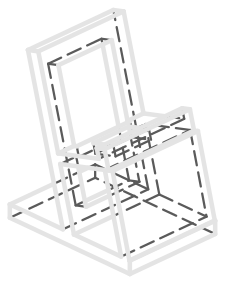
Dimensions from a drawing source. Print once and check the fit before batch printing.
Dimension source: docs.m5stack.com
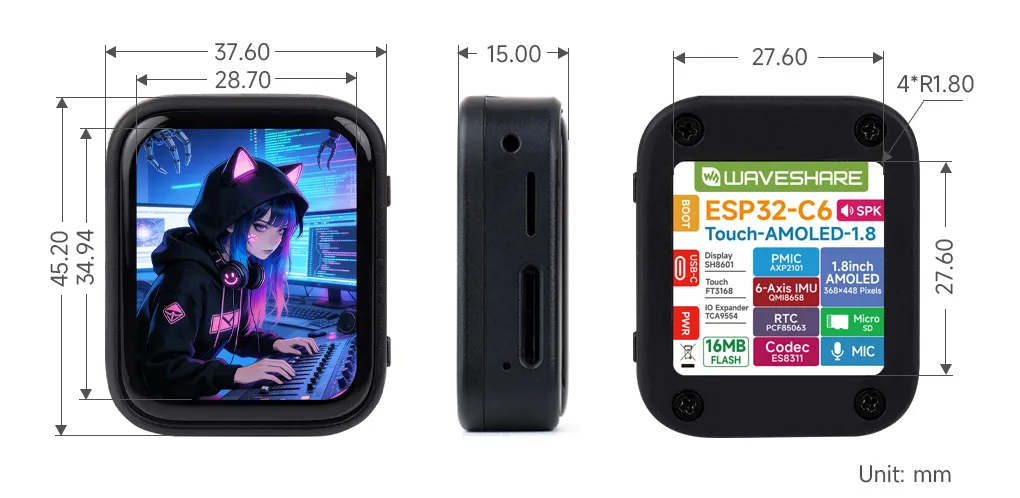
1.8" 368x448 touch AMOLED in a case, ESP32-C6, mic + speaker, IMU, RTC. No PSRAM: full Muse UI, but push-to-talk replies scroll past as text, no images and no home-network tunnel. Cheapest full-UI board.
tools/muse/board.sh build c6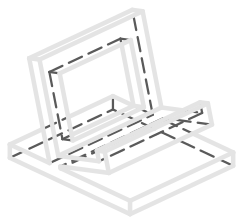
Dimensions from a drawing source. Print once and check the fit before batch printing.
Dimension source: docs.waveshare.com
Palm-size ESP32-S3 voice buddy (X-ORIGIN / AIPI Labs) with a 128x128 LCD, mic, speaker and a snap-on 450mAh battery. Full Muse UI with push-to-talk, two-button menu and images. No official firmware repo; community ESPHome port exists.
tools/muse/board.sh build aipiNo printable stand yet. Manual lists 55.5 x 47.5 x 7.8 mm, likely without the snap-on battery module; width/depth orientation is unclear. Request one
Round 1.75" 466x466 touch AMOLED in a CNC aluminum case (the C SKU). ESP32-S3, 8MB PSRAM, dual mics, speaker, IMU. Full Muse UI: animated avatar, push-to-talk, settings, images. The closest DIY match to a Muse Charm on your desk. Optional internal battery.
tools/muse/board.sh build s3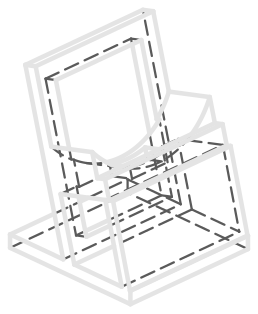
Dimensions from a drawing source. Print once and check the fit before batch printing.
Dimension source: waveshare.com
ESP32-S3 + Himax vision chip, 5MP camera, 1.45" round touch LCD, mic, speaker, scroll wheel. Full Muse UI plus camera.capture, so Muse can look at a room or a 3D printer. Camera and on-device vision mean high privacy exposure; place it deliberately.
tools/muse/board.sh build watcherNo printable stand yet. Seeed lists 69 x 65 x 20; Make: lists 64 x 68 x 19.5; which side is which is not stated. Request one
ESP32 stick (2MB PSRAM) with 1.14" LCD, mic, buzzer, IMU, IR, 200mAh battery. Full Muse UI with push-to-talk, but buzzer only, so replies can't be spoken on-device. M5Stack lists it as end-of-life; buy the StickS3 unless you already own one.
tools/muse/board.sh build plus2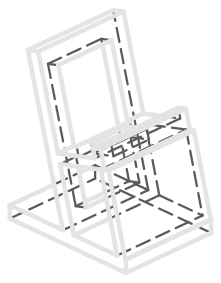
Dimensions from a published source. Print once and check the fit before batch printing.
Dimension source: docs.m5stack.com
Classic ESP32 (no PSRAM) with a 1.9" 170x320 ST7789 LCD. Muse shows status and draws images straight to the screen, but there is no home-network tunnel. Needs chip rev 3.0+ for signed apps (the D0WD-V3 qualifies). Cheap, bare PCB, no case.
tools/board.sh ideaspark buildNo printable stand yet. Listed as 2.51 x 1.24 in. Thickness and USB edge not published; display active area 24.91 x 41.49 mm. Request one
Muse Gadgets' recommended starter board: status light + button only, no screen. Dual-band Wi-Fi 6, BLE, Thread/Zigbee, 8MB flash + 4/8MB PSRAM, so it gets Muse's home-network tunnel. Cheapest way to give Muse a physical presence or a local-network foothold.
idf.py buildNo printable stand yet. PCB 53.6 x 25.4 mm; module antenna overhangs 6.5 mm (60.1 total). Thickness incl. headers not published. Request one
4" 480x480 touchscreen (ESP32-S3 + RP2040) in a finished case with kickstand. Muse: status screen + images. D1S/D1Pro add CO2, tVOC and temp/humidity that Muse can read with sensors.read; D1 has no sensors. Buzzer only, no mic/speaker.
tools/board.sh sensecap-indicator buildNo printed part needed: it ships with its own stand or mount (Fold-out kickstand and keyhole wall slot (no dimensions published).).
ESP32-S3 + XMOS voice puck: dual mics, speaker, 3.5mm out, LED ring, rotary dial, hardware mute. Under Muse it is push-to-talk with status on the LED ring and the dial as volume. Flashing Muse replaces the ESPHome firmware; reflash ESPHome to go back to Home Assistant.
tools/board.sh home-assistant-voice buildNo printed part needed: it ships with its own stand or mount (it ships in a finished case).
7.5" 800x480 black-and-white e-paper, ESP32-S3, 2000mAh battery, temp/humidity sensor, ships with a stand. Muse shows status text and black-and-white images; the E1002 is the color sibling.
tools/board.sh reterminal-e1001 buildNo printed part needed: it ships with its own stand or mount (Wall hole on the back; embedded nuts for the included stand.).
7.3" E Ink Spectra 6 full-color ePaper with ESP32-S3 and up to 3-month battery life. Muse shows status text and six-color images. Official SDK build command is reterminal-e1002.
tools/board.sh reterminal-e1002 buildUse the vendor case.
Firmware path
curl -fsSL https://dev.meta.ai/install.sh | sh && git clone https://github.com/facebookincubator/muse-gadget-sdk && cd muse-gadget-sdk/esp32 && muse --disable-sandbox # then: "Build this firmware for my <board> and flash it." Any coding agent that reads AGENTS.md can do the same.Your SDK token ships inside the firmware: never commit it or paste it into a public repo.
Linux device SDK
A Python service (musegadget) that turns a Linux box with Bluetooth LE into a Muse gadget. Muse gets shell, file and health commands on the machine and can push messages back to you.
system.runfile.readfile.writedevice.healthAdd a spec to COMMAND_SPECS in linux/src/musegadget/executor.py (description, required/optional params with type + description, optional timeout_ms), handle it in Executor.run returning ok(payload) or error(message), then restart the service.
Commands run as the install user with exactly that account's permissions. If it can sudo, so can Muse. Use a dedicated low-privilege user (--run-as USER) unless you need more.
Fabrication package
Each package includes an STL for printing, STEP for CAD/CNC, and a fab.json file with print settings and checks.
Need a stand for a board that doesn't have one yet? Request one.
Hackshop never places orders for you.
SDK token terms
Personal, non-commercial use with your own Muse account. A token can be linked to at most 50 devices. You may not put it in any device you sell, advertise, or list publicly or in a marketplace or app store; other distribution needs Meta's written permission. Provided as-is; Meta can change, withdraw or revoke access at any time. Read the terms.
Limits
Common questions
M5Stack StickS3 ($22) for a pocket remote, Waveshare ESP32-S3-Touch-AMOLED-1.75C (round) ($40-42) for a desk avatar, or Espressif ESP32-C5-DevKitC-1 ($15-20) as the cheapest start; Muse calls it the recommended starting point.
No voice: ideaspark ESP32 with 1.9" LCD, Espressif ESP32-C5-DevKitC-1, Seeed SenseCAP Indicator (D1 series), Seeed reTerminal E1001 (7.5" e-paper) and Seeed reTerminal E1002 (7.3" color e-paper). No images: Waveshare ESP32-C6-Touch-AMOLED-1.8, Espressif ESP32-C5-DevKitC-1 and Home Assistant Voice Preview Edition.
The SDK needs a Muse account and the Muse app with Developer mode. Muse Home Link (Meta's own dongle) is the piece that requires an active US subscription.
No. The SDK token terms forbid putting a token in any device you sell, advertise or list publicly; other distribution needs Meta's written permission. A token can be linked to at most 50 devices.
It lets Muse reach devices on your home Wi-Fi that have a local web API, like a printer, a smart plug or a Home Assistant server, so it can check on them or control them for you. Treat it like giving the agent a foothold on your network. Boards without PSRAM (classic ESP32, ESP32-C6) run without the home-network tunnel; Muse can still reach and control them.
Primary links
Start from an idea
Round AMOLED avatar on your desk: push-to-talk, spoken replies and images from Muse, in a printed stand.
M5Stack StickS3 on a keychain or desk dock: press, talk, hear Muse answer.
7.5" reTerminal E1001 on the wall showing Muse's status and black-and-white images.
SenseCAP Indicator D1S/D1Pro reports CO2, tVOC, temperature and humidity when Muse asks.
SenseCAP Watcher on a stand: Muse can grab a frame and tell you if a print failed.
Muse Linux SDK on a thrift-store thin client: shell, files and Home Assistant, with a USB Bluetooth dongle.