A remote, a Linux host, a button event
Rotate the A1962-inspired exterior and trigger an illustrative button event. The host box and event indicators are conceptual, not a working Bluetooth emulator.
Interactive render — not a photo or hardware proof. Approximate exterior, not measured CAD. Simulated button event; no Bluetooth connection or keystroke injection.
Explore the shape and a sample interaction in 3D.
Loads only when requested. No external assets or device connections.
Reference photos & screenshots
These are credited source images, not Hackshop's own finished builds. Read the scope below each image.
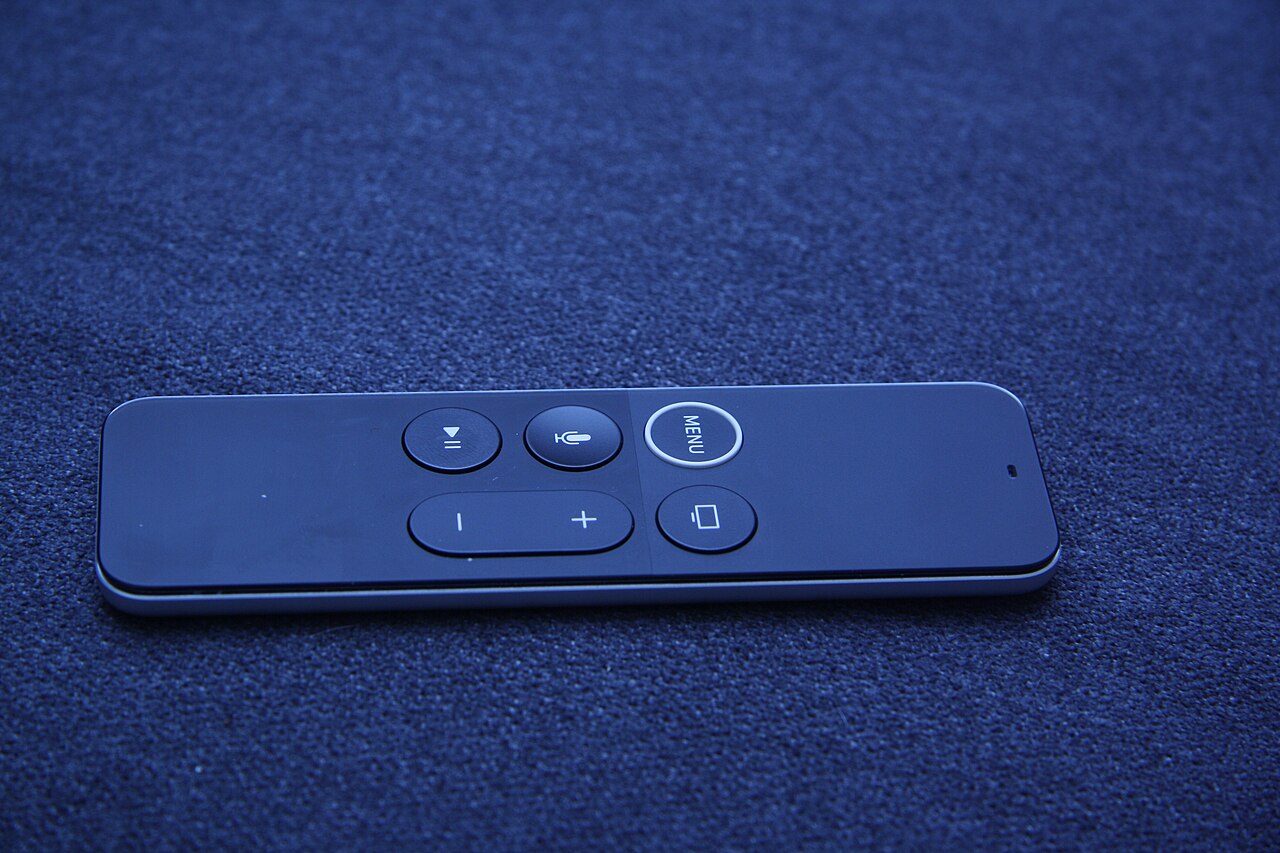
Hardware reference: a first-generation Siri Remote
Real first-generation remote reference, not the author's tested A1962 unit. The file description does not establish its exact model; check the rear model number before following this guide.
Jiří Sedláček · Source · CC BY-SA 4.0. Wikimedia's 1280px reduction; no crop or other changes. This image remains CC BY-SA 4.0.
Creator demos & walkthroughs
Short demos are not complete how-tos. Videos stay with their creators through the original platform's player; no clip is copied to Hackshop.
Creator demo: a gen-1 Siri Remote on Linux
Brief creator-posted demonstration, not a pairing/permissions/reconnect walkthrough or proof of keyboard and voice support. The pinned README remains the compatibility boundary.
Still missing: A full exact-model setup and sleep/reconnect walkthrough is still missing; this short clip is not one. Hackshop has not tested physical hardware.
Reusing an asset? Check its individual license and attribution first. Native video embeds do not grant download or editing rights. Media manifest for people & agents · Copyright notices · Original MIT-licensed render geometry.
The open-appleremote project reports finding, unlocking and reading an A1962 first-generation Siri Remote on Linux. An A1513 is expected to work but remains untested in the pinned README. Newer Siri Remotes and the older infrared Apple Remote are not interchangeable targets.
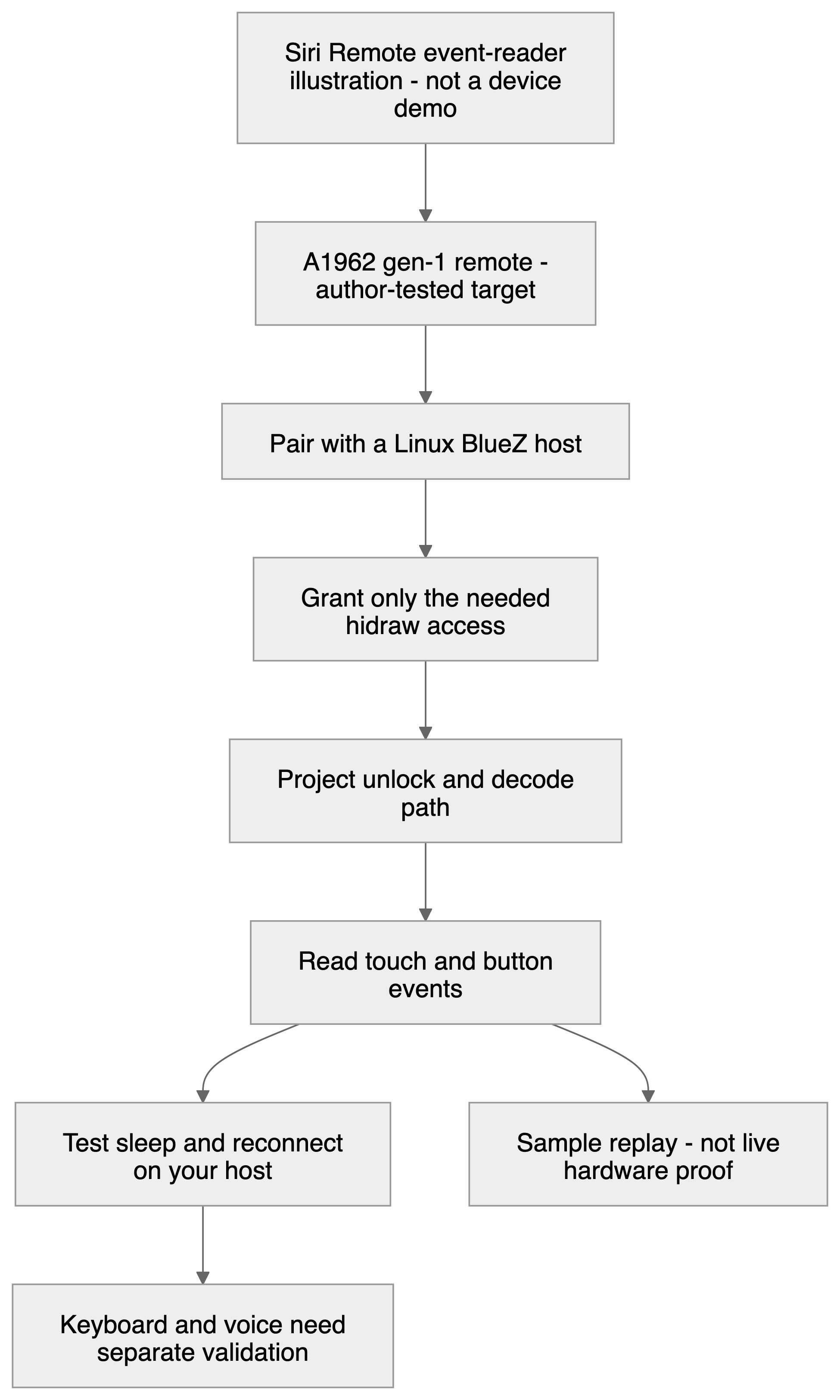
A bounded first session
- Check model and host. Compare the exact remote and Linux/BlueZ requirements with the pinned README. Confirm that an owned remote can be unpaired or removed from the host afterward.
- Inspect before running. Review the repository, then follow its pairing instructions. A Bluetooth connection alone does not prove decoded input; the project describes an unlock step for each connection.
- Grant narrow access. Start with the documented hidraw access for the logged-in user. Do not enable the optional virtual-input rule just to watch events. That extra permission allows programs to inject keystrokes.
- Observe, then test reconnect. Read button and touch events before mapping any action. Compare a deliberate button press with the reported event, then test sleep and reconnect. Avoid logging the remote's serial-number name or other devices' identifiers.
Button map, not a promised keyboard
The source names Menu, TV/Home, Play/Pause, volume, Siri and touch/click inputs. Map a harmless action only after observation. The optional keyboard path is not hardware-tested according to the README. Voice is unreleased and replay/synthetic-tested in this package; illustrative voice commands are not evidence of a working voice assistant.
Reconnect and privacy
The documented reconnect workaround disables LE privacy on the host. That changes behavior beyond this one application: assess it rather than making it an automatic setup step. Raw Bluetooth captures may include sensitive traffic and voice. Do not publish them. Use the project's non-audio sample to understand event shapes, with replay clearly labeled.
Walkthrough status
No Hackshop real-device recording or finished-build photo is available. A replay demonstration would show the decoder, not a live remote. A future physical walkthrough should show the exact A1962, button-to-event correspondence and sleep/reconnect. Current used-device pricing is unknown.
Return to the hardware library.
Sources checked October 20, 2026
- Pinned implementation, test scope and MIT license notice
- Pinned measured, reported and guessed protocol observations
- Pinned device-access rules and optional input permission
Original Hackshop text and diagrams. Reference photos and app screenshots above are individually licensed and credited; creator videos use consent-based native embeds. The interactive Three.js scenes are original illustrative renders, not physical proof. See the public media manifest for reuse terms.