Try a lamp in a small sample room
Rotate the room and toggle the simulated lamp. The scene is an original sample layout, not the creator's apartment or a connection to your home.
Interactive render — not a photo or hardware proof. Original illustrative room, not a measured CAD model. All controls are simulated; no devices connected.
Explore the shape and a sample interaction in 3D.
Loads only when requested. No external assets or device connections.
Reference photos & screenshots
These are credited source images, not Hackshop's own finished builds. Read the scope below each image.
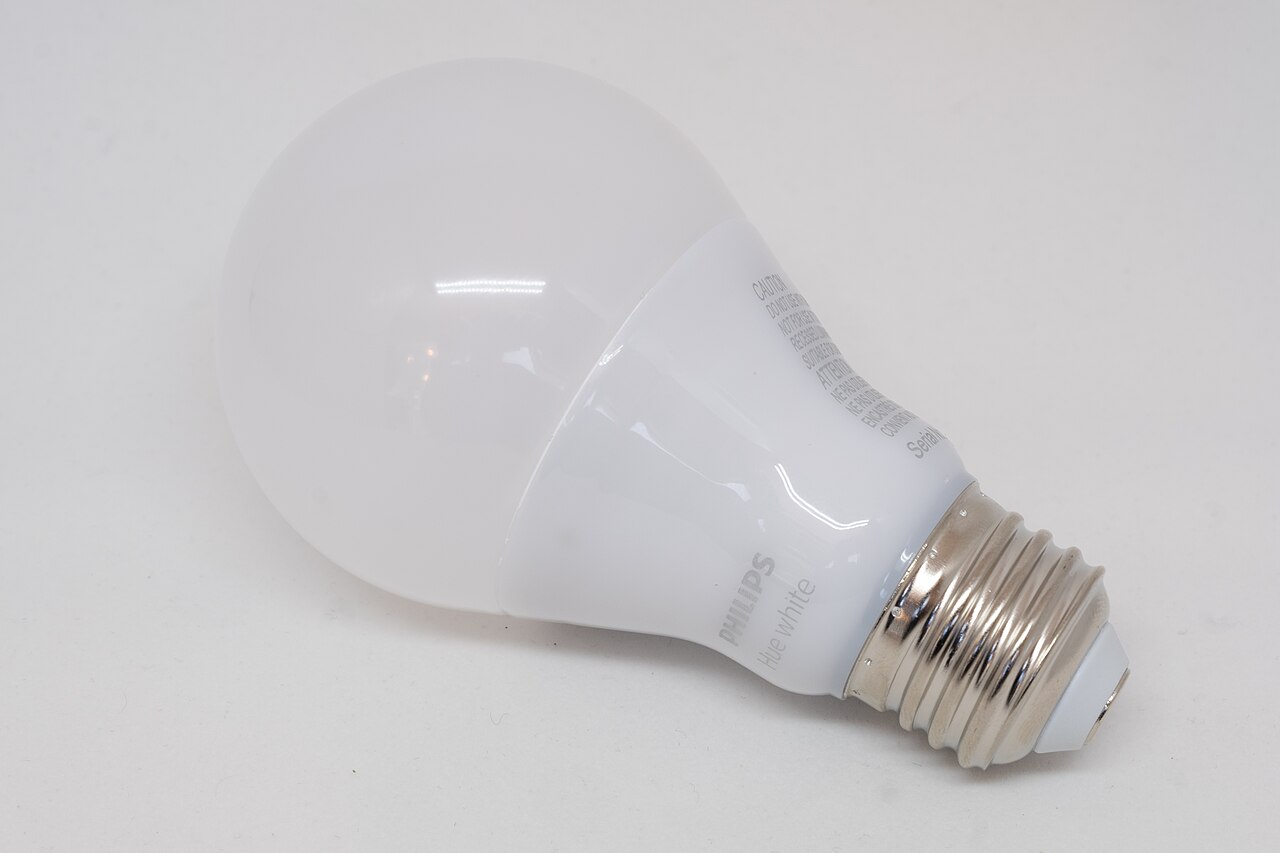
Hardware reference: a Philips Hue white bulb
Real hardware reference, not the creator's bulb or evidence that this exact unit was tested with House Control.
Gregory Varnum · Source · CC BY-SA 4.0. Wikimedia's 1280px reduction; no crop or other changes. This image remains CC BY-SA 4.0.
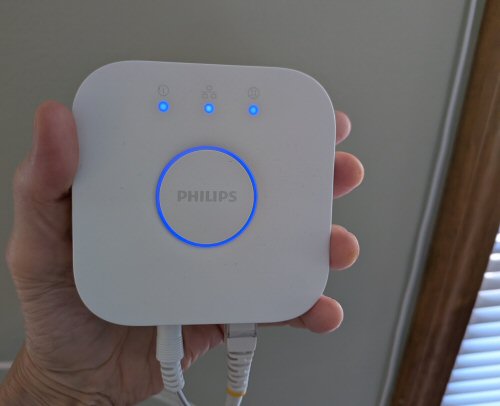
Hardware reference: a second-generation Hue Bridge
Real Hue Bridge reference. Not the creator's home installation, and not an exact-unit compatibility test.
Harborsparrow · Source · CC0 1.0. Unmodified original photograph.
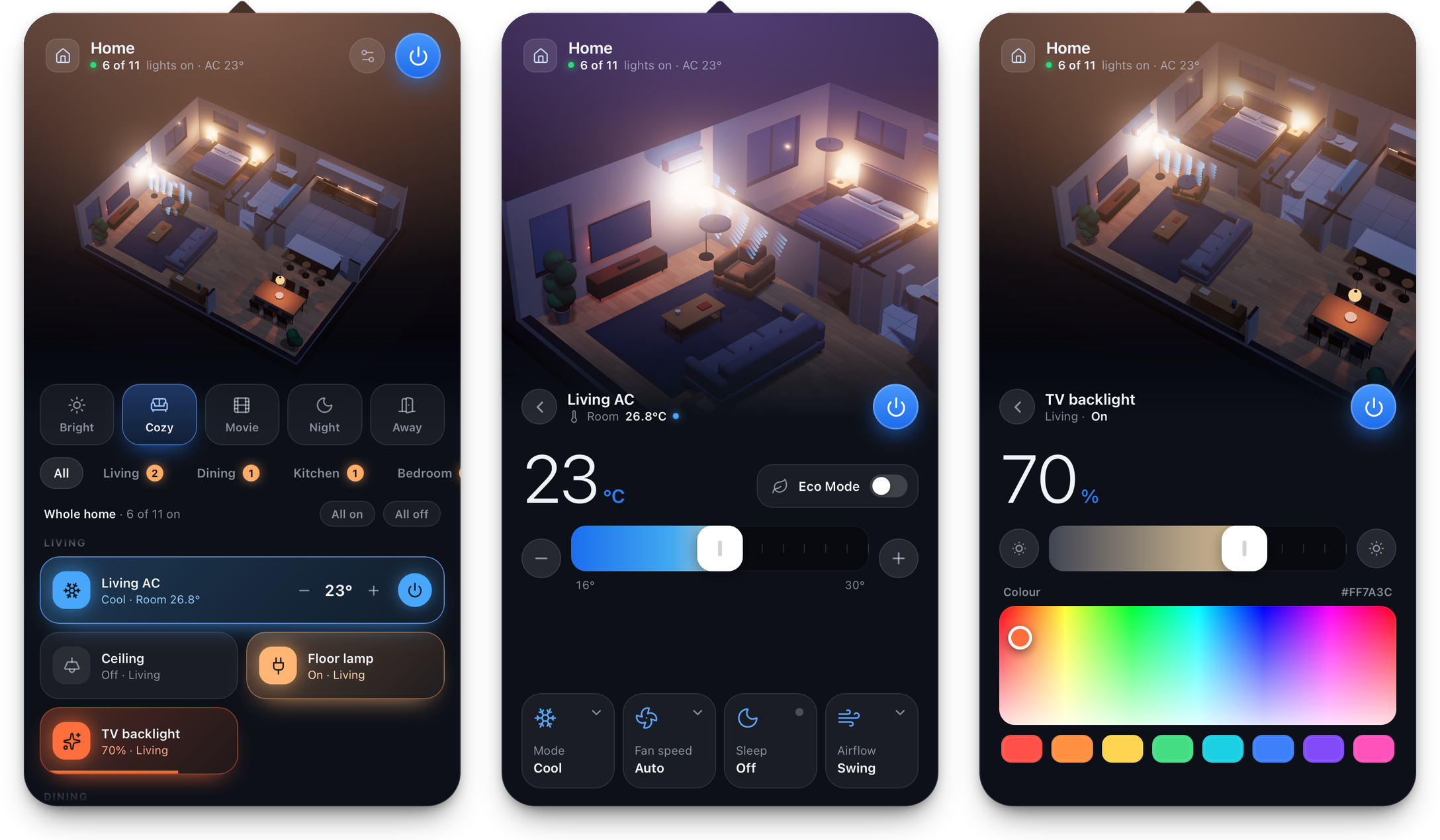
App screenshot: simulated demo plan
Software screenshot, not a photograph. The source commit explicitly says these screenshots use a bundled demo plan with simulated devices.
0xProbability · Source · MIT. Unmodified original documentation screenshot. Copyright 2026 0xProbability; MIT notice included.
Creator demos & walkthroughs
Short demos are not complete how-tos. Videos stay with their creators through the original platform's player; no clip is copied to Hackshop.
Creator demo: the apartment in a Mac menu bar
Short screen demo of the 3D app. The maker reports controlling real devices; the video does not independently show a physical Hue lamp responding or an end-to-end setup.
Still missing: No end-to-end House Control + Hue/Home Assistant setup walkthrough, or independently verified lamp-to-screen recording, was found in the checked primary sources.
Reusing an asset? Check its individual license and attribution first. Native video embeds do not grant download or editing rights. Media manifest for people & agents · Copyright notices · Original MIT-licensed render geometry.
House Control now has an inspectable implementation behind its apartment-style 3D interface. The scene is not proof that a particular lamp or air conditioner works. Treat it as an interface connected through explicitly chosen integrations, not a universal device exploit.
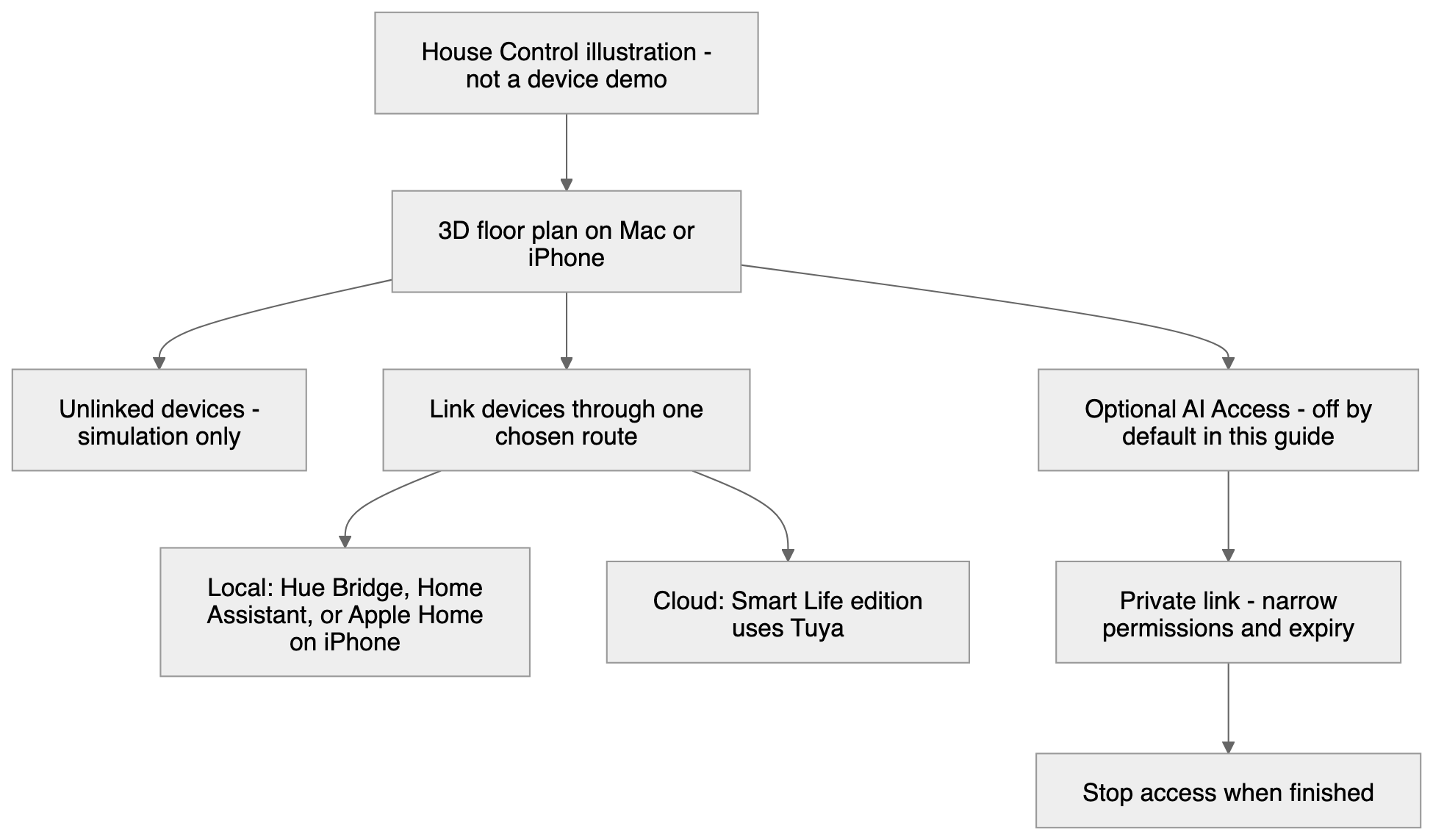
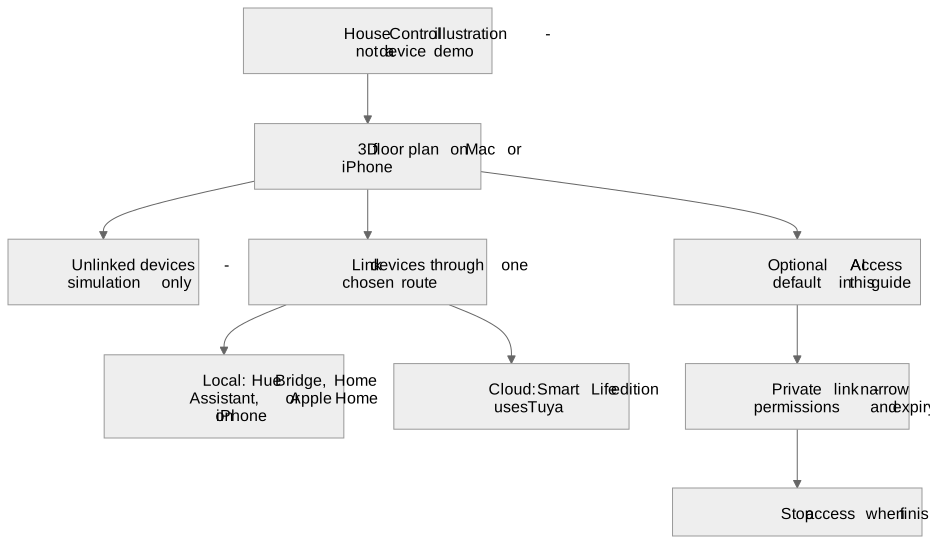
Start without connecting a home
- Review the pinned version. Follow its build or release verification instructions on a suitable Mac or iPhone. Do not disable platform security checks merely because a guide contains a shortcut.
- Explore the demo plan. Leave real accounts disconnected. Unlinked devices are simulated. Use this mode to decide how rooms, scenes and controls should look.
- Choose one low-risk lamp. The Hue route uses a local bridge; Home Assistant uses your server's API. Smart Life uses Tuya's cloud and differs between app editions. Keep these routes distinct.
- Pair deliberately. Use the project's connection guide and keep credentials private. Never paste a real home token or private link into a public issue or tutorial.
- Verify both directions. Toggle the lamp, inspect the real light and check state after changing it through its normal control. A moving render alone proves only the UI changed. Keep exact models and test results in your own notes.
Compatibility is per route
The source says Apple Home devices are controlled on iPhone; on Mac that route is linking/simulated, not equivalent local control. Supported platforms do not establish support for every appliance model. Leave climate control out of the first experiment and retain the normal physical controls.
Optional agent access
Keep AI Access off for initial setup. Its private link carries access for whoever has it. If later enabled, start read-only, restrict permissions, select a short expiry and stop the link when finished. The AI provider may see room names, device state and the floor plan; a tunnel is not a promise that nobody else handles the traffic. This guide neither opens a tunnel nor controls your devices.
Walkthrough status
No Hackshop hardware-control video or finished-build photo is available. A demo-plan screen recording can illustrate navigation only. A physical walkthrough must visibly show the linked lamp and its state changing; request permission before reusing maker footage.
Return to the existing apartment / House Control entry.
Sources checked October 20, 2026
- Pinned House Control implementation and MIT license notice
- Pinned device connections and Apple Home limitations
- Pinned AI Access permissions and privacy
Original Hackshop text and diagrams. Reference photos and app screenshots above are individually licensed and credited; creator videos use consent-based native embeds. The interactive Three.js scenes are original illustrative renders, not physical proof. See the public media manifest for reuse terms.